-

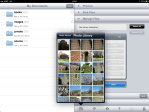
- Library button.
-
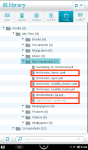
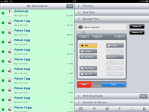
- Four files need removed.
-
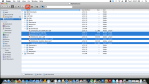
- Select and delete files.
-
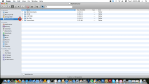
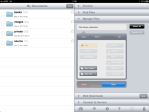
- Properly ejecting the Nook.
-
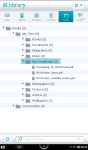
- My Downloads folder.
(To view a larger image with more detailed description tap or click its thumbnail.)
This simple walkthrough shows how to delete files from the My Downloads folder under my files in the Nook Color Library.
First connect your Nook to your computer using the special Nook USB cable. The ∩ cable light will turn an orange colour and the blue USB Mode dialog will appear on the Nook screen. On your computer select MyNookColor in the Finder window, and open the My Files and My Downloads folders. Select the files you want deleted, in the example screen shots above I select four files in this folder for deletion. My Downloads also permits you to transfer PDF and other compatible documents to this folder from your computer as well. Ensure to properly Eject the Nook in Finder.
NOTE: I inadvertently hit the power button on my Nook whilst creating screen shots for this tip, and Mac OS X (Version 10.6) automatically ejected the device. This is not a recommended operation, but is interesting to know nonetheless.
The final screen shot shows a view of the My Downloads folder on the Nook.

























 Glasskeys


 glasskeys.com
(To view a larger image with more detailed description tap or click its thumbnail.)
Prior to the purchase of my new iPad 2, I made a personal pact with myself to keep my limit of having two AT&T bills a month. Although not dissatisfied with their coverage in my local area, the company & I part ways on the meaning of the term normal use. My first generation iPad has the original unlimited data contract, but using 3G service on my iPhone 4 and new iPad 2 for prolonged time, could potentially cost exorbitant amounts. For this reason I chose the wifi only iPad 2 model. Therefore, I decided to investigate alternatives.
I discovered Clear, and use it (not abuse it) for my normal everyday Internet provider service. It is 4G, has great coverage in my local environs of the North Carolina “Triad” area in America, and the bill is reasonable. Oh yes, unlimited for $55 USD/mth. on month to month contract, $45/mth. with two year contract (as of date of this post). I also use the portable Clear Spot device and it enables me to take 4G with me.
Disclaimer: I am not associated or employed by any company reviewed on this site.
Share this:
Leave a Comment
Posted in Commentary... | Tags: 3G, 4G, Review, wifi