-

- Open GoodReader, Select Connect to Servers.
-
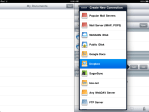
- Tap Add button, then select Dropbox from list.
-

- Enter Dropbox login credentials.
-

- Connect to Dropbox and browse folders.
-
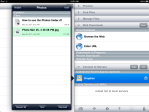
- File in Dropbox Photos folder selected.
-

- Tap Download button to save in GoodReaders ‘My Documents’ folder.
-

- Download in progress.
-

- Photo listed in My Documents. Tap file to view.
-
- View of file after selection.
(To view a larger image with a more detailed description tap or click a thumbnail.)
Todays quick tip illustrates how to configure GoodReader to access Dropbox, and an example showing how to move a photo saved on Dropbox to GoodReaders My Documents folder. Keep in mind, along with copying data from Dropbox storage, you may also move files downloaded with GoodReader to Dropbox.
 Glasskeys


 glasskeys.com
Hi, how do you save the files back to dropbox? Thanks
By: Marc on 04/11/2011
at 10:32 pm
Ok found it.
1) in goodreader, click on the dropbox server/icon
2) a window opens with all the goodreader files; select the file you want to upload and click “upload” at the bottom of that window
By: Marc on 04/11/2011
at 10:50 pm
Hi I am receiving the following message when I try to put files from Dropbox into Goodreader;
ERROR
Invalid Server Response
HTTP:// 1.1 400 Bad Request
Please can you kindly advise what this is and how I rectify this problem to access files from Dropbox?
Thanks Chris
By: Anonymous on 03/05/2014
at 4:11 pm
Hi Chris,
I am having this problem and can see that someone solved it for your previously.
Can you please advise me of the solution.
Thanks in advance.
Lachlan
By: Lachlan on 03/05/2018
at 12:17 am
Hi Lachlan,
Have you found out how to sort that out? I’ve been experiencing the same issue and thus unable to synchronize goodreader with dropbox.
Thanks!
Bruno
By: Bruno on 03/24/2018
at 12:11 pm
Hi Bruno
I’m hoping you wouldn’t mind also passing along the solution to this problem to me? I’m getting the same error and would appreciate a bit of help!
Thanks!
By: Casey on 04/10/2018
at 6:39 pm
YOU ARE AWESOME!!!
By: Anonymous on 03/14/2015
at 6:50 pm
Hi every one,
I have the same issue with synchronizing dropbox and Good reader. Do you now how to solve the problem?
By: Isabelle on 04/25/2018
at 2:05 pm
So??? 400 bad request, what’s the fix?
By: mike rose on 07/26/2018
at 4:29 am