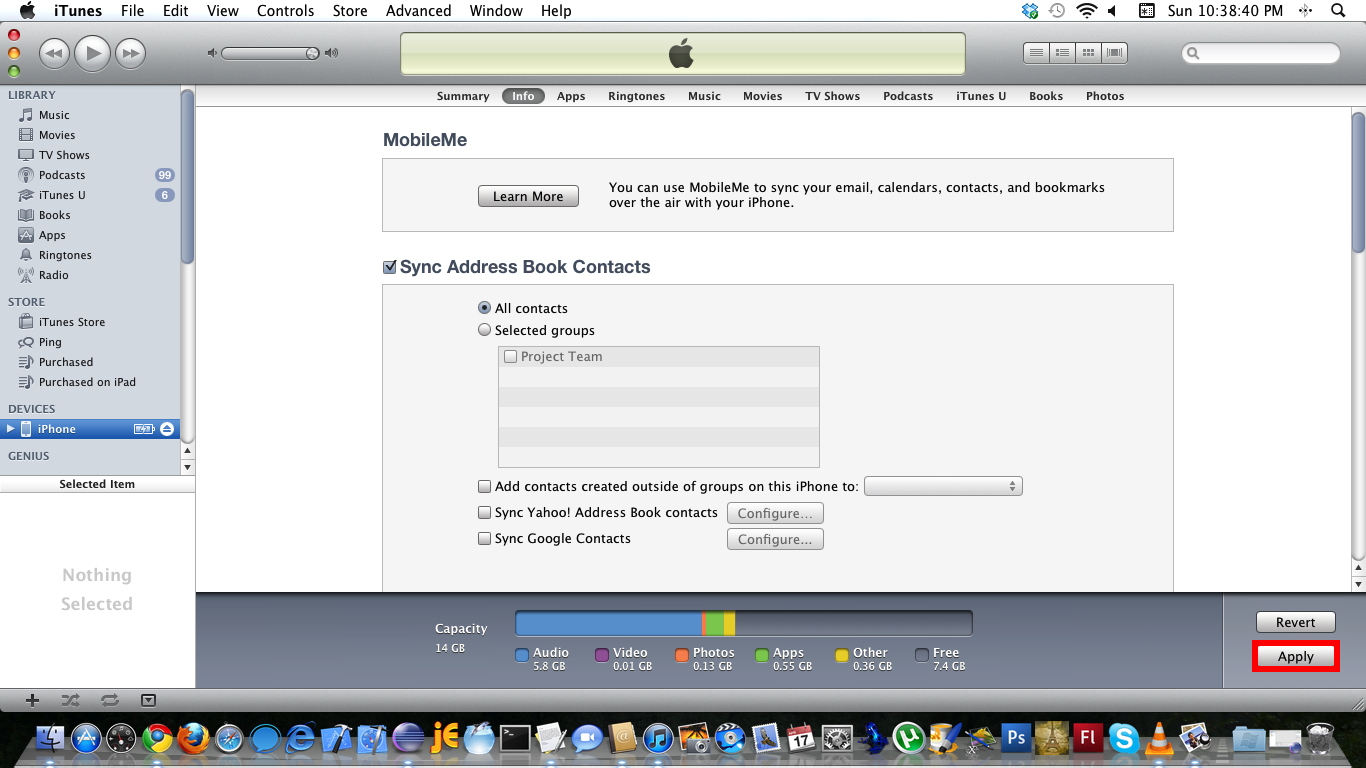
Tick Sync Address Book – click Apply.
Scroll down to ensure that the Sync Address Book option is ticked, then click the Apply to push contacts and contact groups to the iPhone.
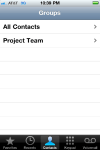
Tick Sync Address Book – click Apply.
Scroll down to ensure that the Sync Address Book option is ticked, then click the Apply to push contacts and contact groups to the iPhone.
 Deutsch
 Français
 Español
 Glasskeys


 glasskeys.com
Leave a comment