-
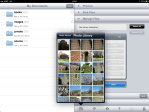
- Selecting photos.
-

- Zipping local photo files.
-

- Select zip file, then tap E-mail.
-

- Compose email.
-
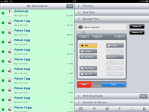
- Delete local copies.
-

- Tap Delete button.
-
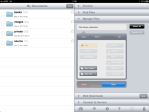
- My Documents clean again.
-

- Recipient receives zip file.
(To view a larger image with more detailed description tap or click its thumbnail.)
Yes this is another GoodReader post, but this time I am using it to illustrate how to send more than five photos to an email recipient at once.
In essence, I am using a feature of the Manage Files panel to select ten photos, create a zip file, then in turn send the zipped photos via email. I then opt to clean up the mess and delete the local copies saved in My Documents. Use the screen shots above to view each step of the process with descriptions.
As always: I am not associated with or employed by any company producing software reviewed on this site.
 Glasskeys


 glasskeys.com
Leave a comment