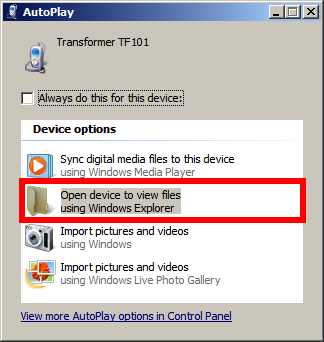
Windows 7 – Select “View files with Windows Explorer” option.
Attach a Honeycomb tablet to your Win 7 PC, then select the “Open device to view files using Windows Explorer” option in the Autoplay dialog.


Windows 7 – Select “View files with Windows Explorer” option.
Attach a Honeycomb tablet to your Win 7 PC, then select the “Open device to view files using Windows Explorer” option in the Autoplay dialog.
 Deutsch
 Français
 Español
 Glasskeys


 glasskeys.com
Leave a comment