-
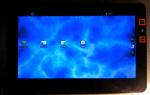
- Home & Back Arrow buttons.
-

- “Recent” menu on the Viewsonic G tab.
-

- Press the ∩ and “-” volume button.
-
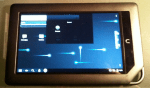
- “Recent” menu on the Nook Color.
The Recent menu is a handy tool that enables an Android user to switch back and forth between apps currently running in the “background”. As many new users don’t even know it exists, I will show how to invoke this magic menu on two devices I currently have running CyanogenMod 7 (CM7): A Viewsonic G Tablet and a Nook Color.
On the G tab, press the Home and Backward arrow at the same time to display the menu. On the Nook Color use the ∩ button and side volume – combination. The Recent menu quickly appears containing the icons of all “background” apps – simply tap an icon to switch apps.
If you change your mind and want the Recent menu to disappear without opening an application, use the Home button on the G tab, or the ∩ button on the Nook Color to return to the Android desktop.
 Glasskeys


 glasskeys.com
Leave a comment