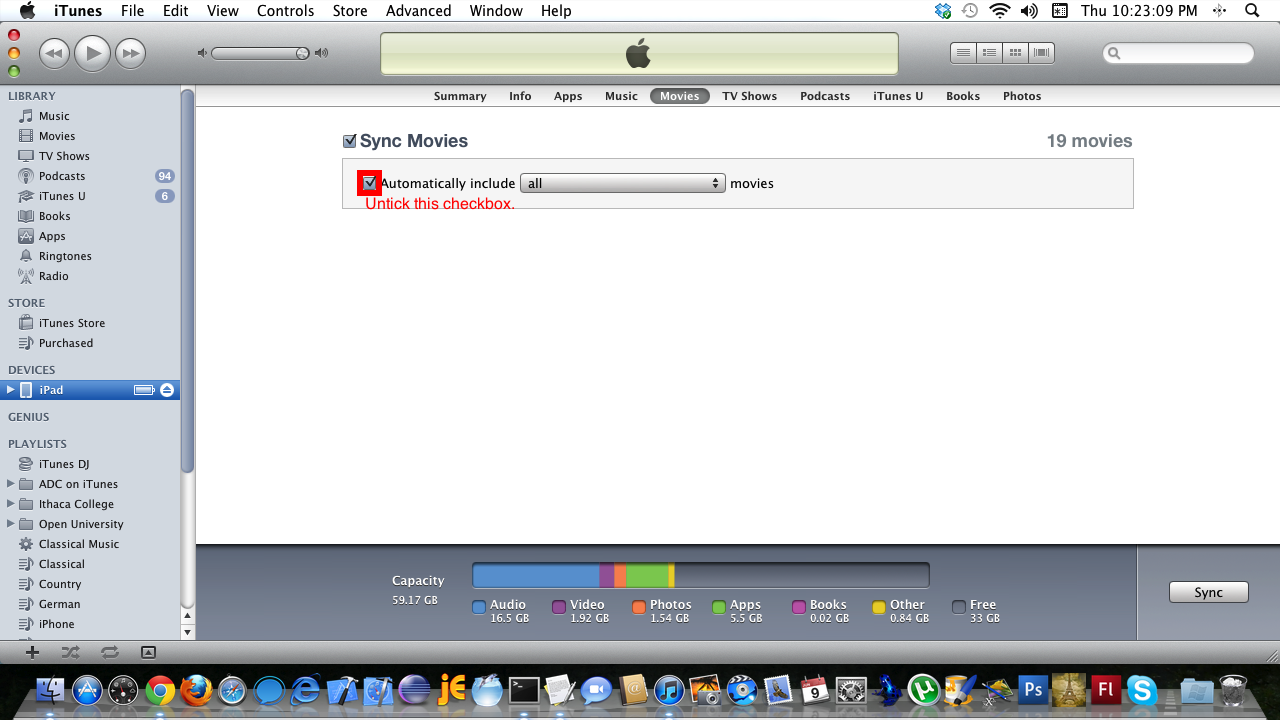
Untick the content type causing the problem.
Any problems that occur during sync will be shown in a warnings window, untick options for that type. In my case movie files caused an issue, therefore I ensured that Automatically include all movies was blank, and all movies unticked/un-checkmarked.

 Glasskeys


 glasskeys.com
Leave a comment