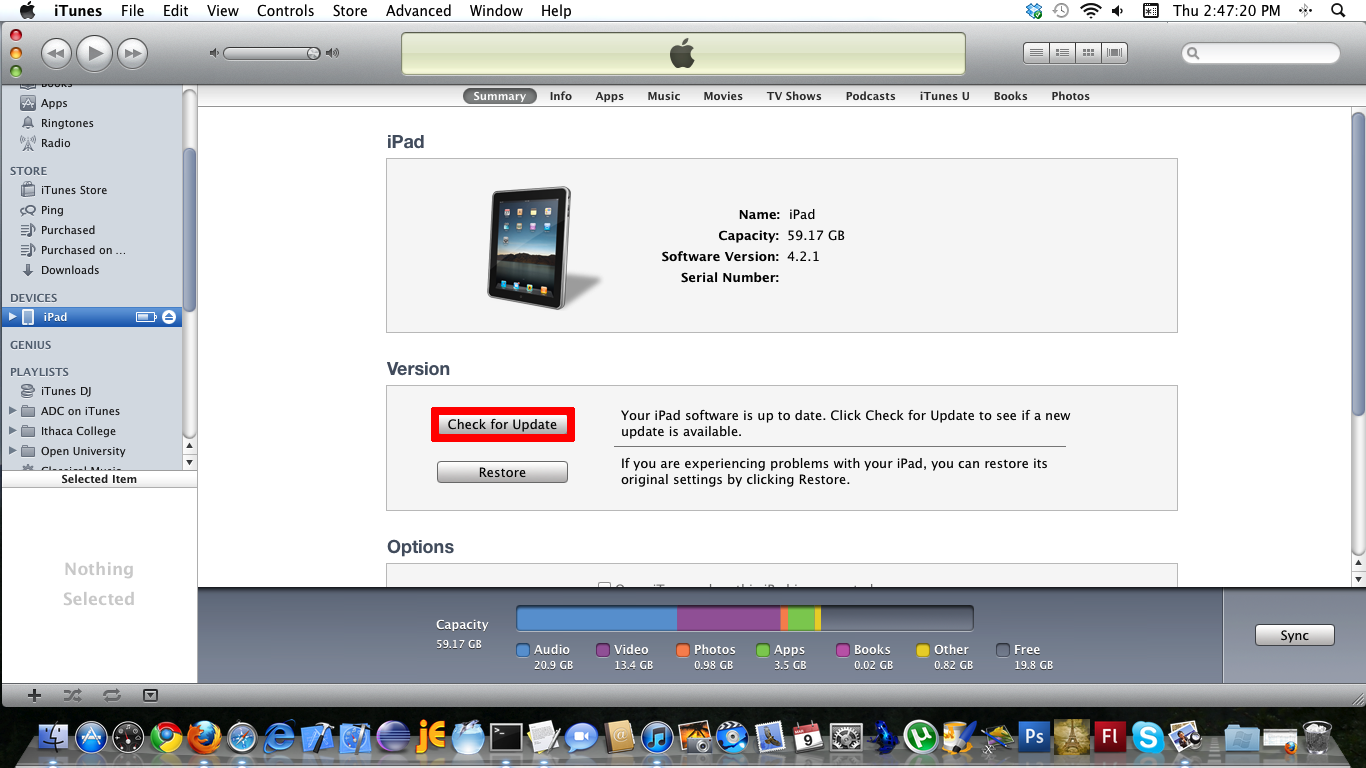
Check for Updates button.
After iTunes “finds” your iPad, select it in the Devices section, then on the Summary tab click the Check for Update button.
iTunes will keep you informed during the upgrade process and provide easy-to-follow instructions.

Check for Updates button.
After iTunes “finds” your iPad, select it in the Devices section, then on the Summary tab click the Check for Update button.
iTunes will keep you informed during the upgrade process and provide easy-to-follow instructions.
 Deutsch
 Français
 Español
 Glasskeys


 glasskeys.com
Leave a comment