
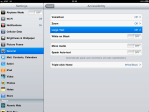
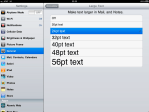
Select a Font Size.
Selecting a font size changes the default size in the Notes and Mail applications to match.
Select a Font Size.
Selecting a font size changes the default size in the Notes and Mail applications to match.
 Deutsch
 Français
 Español
 Glasskeys


 glasskeys.com
Thank you. Finally, instructions that work!
By: Anonymous on 10/21/2011
at 4:34 pm