
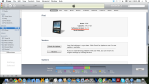
iPhone selected, Summary tab.
Open iTunes, attach your iPhone to your computer. In the example above, an iPad and an iPhone are attached.
Ensure the proper device is selected at left, click the Summary tab. The Software Version (IOS) is displayed in the center.
 Glasskeys


 glasskeys.com
Leave a comment